Your expertise. One place to run it.

For experts, institutes and consultants: create programs, organise sessions and take bookings. Give participants an interactive lab to work with your content and one another.

Discover Thkee: create programmes, organise sessions, engage participants and manage your business in one place.

Choose how you share your expertise.

A program clients follow in their own time, or a session you share together. Find the format that fits your work.

Recorded programs

Prepare your content once. Let clients learn at their own pace.

When it happens
No live attendance required
A good fit
Presentation skills program
When should I choose this?

Choose this when you can organise your expertise into videos and articles that clients can use without attending a live session with you.

  1. Enrol
  2. Open the program
  3. Explore the content
Explore recorded programs
Your program, organisedExample

Opening your presentation

Watch the lesson and return whenever needed.
Each participant learns in their own time.

1 of 4 — Recorded programs

You can offer more than one format. Manage your programs, sessions and bookings together in Thkee.

Compare the formats side by side
The difference Recorded programs Multi-session programs Single sessions Bookable sessions
What do you offer? Organised learning content A program of connected sessions One topic in one live session A service booked at a chosen time
Who chooses the time? No live attendance required A schedule you set in advance One date chosen by you Clients choose an available slot
How do clients join? Enrol and access the content Enrol in the program Sign up for the session Choose a time and book
Example Presentation skills program A training program over several weeks A workshop, webinar or focused session A consultation or coaching session
Majlis (Communities)Coming soon

Spaces that bring people together around shared interests.

Every step of your programme,
in one place.

Create your programme, welcome registrations, and deliver your sessions.
Follow “Project management” and see how each step works.

An interactive example, with no real publishing, payment or messages.

Step 1

Build your programme
at your own pace.

Name your programme, explain what participants will learn, and set the dates. Save a draft and come back whenever you like.

Only visible to others after you publish.
New programmeDraft
Live programme 4 sessions
Example draft

Try changing the programme name.

Step 2

Publish your programme.
Share its link.

Description, dates and registration, all on one page. Share the link so people can explore your programme and sign up.

Programme pagePublishing details
Review before publishing

Project management

Turn an idea into a clear action plan, with practice on your own project.

Format
4 live sessions
First session
January 5, 2027 · 7:00 PM
Registration price
500 riyals
Check the participant page before sharing its link.
Step 3

Your customer chooses
how to pay.

Apple Pay, Visa, mada or PayPal. With Tabby and Tamara, they can register now and pay later.

Complete registration Interactive simulation
Programme

Project management

Turn an idea into a clear action plan, with practice on your own project.

500 riyals

Payment options depend on the country and order eligibility.

Simulation only. No money is charged.

Step 4

Your first booking.
Your first notification.

When your first participant signs up, you receive the booking details. Preview the message on WhatsApp or email.

Booking confirmedA participant joined your programme
Booking 1
T
ThkeeWhatsApp · Conversation preview
Today

You have a new booking!

Ahmed has joined “Project management”. View his registration in your dashboard.

January 5, 20277:00 PM Your first participant joined. All the booking details are in one place.
9:41
View registration

Illustrative preview. No messages are sent.

Step 5

Explain, discuss
and practise together.

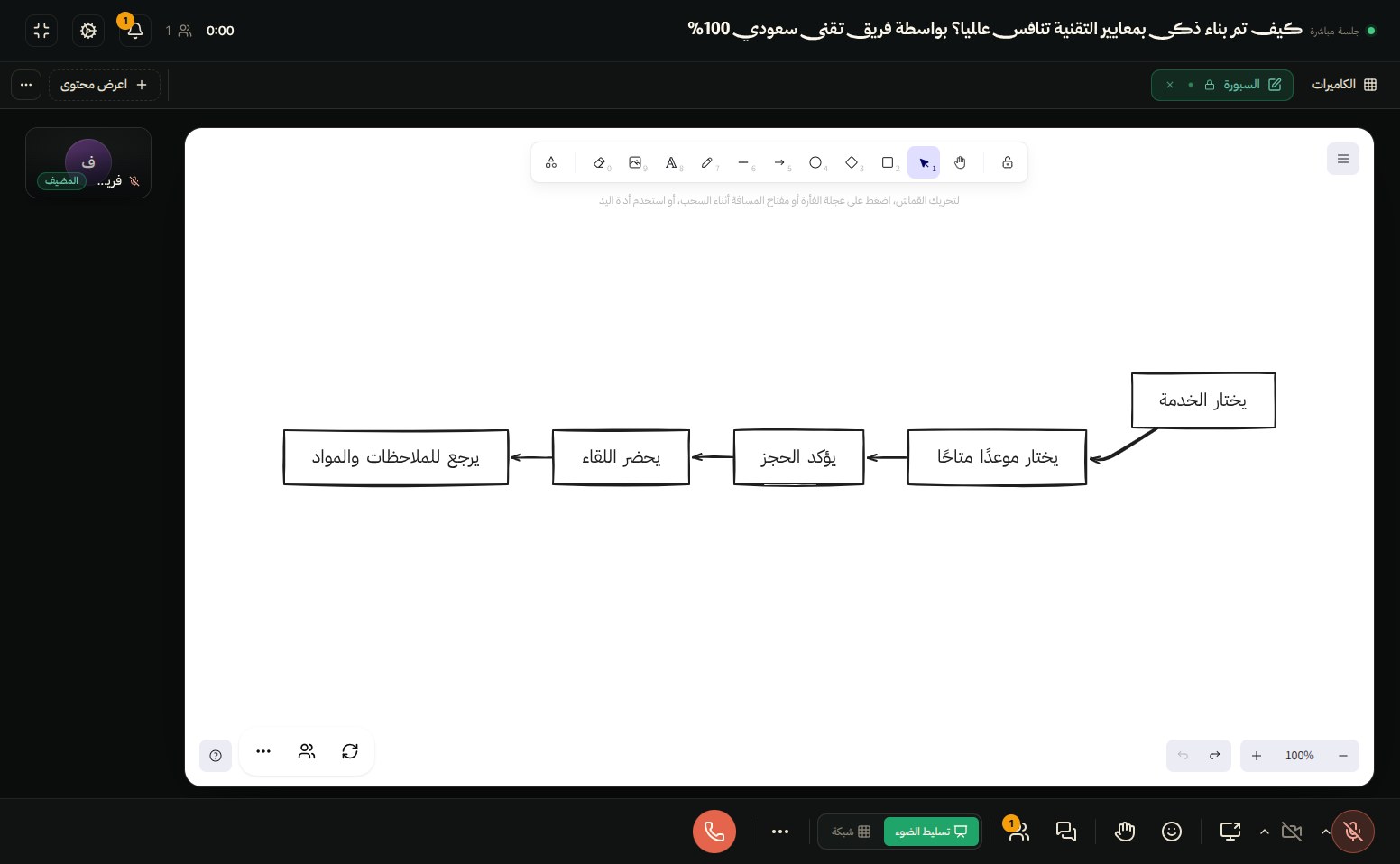
Bring everyone into one session. Explain on the whiteboard, open a document, and invite participants to work with you.

From an idea to a planLive session

Our project map

IdeaPlanDelivery

Turning an idea into steps, together.

YouMN
Practising together
Step 6

After the session,
share recordings and files.

Once the recording is ready and you publish the materials, participants can revisit the lesson, recap and files you shared.

All your session materials in one place.
Session libraryAfter publishing
Session recordingRevisit any part of the lesson
Recap and transcriptTry opening the recap

We started by defining the project scope, then organised tasks into clear stages.

  • Define the result you want to achieve.
  • Turn it into actionable tasks.
  • Agree on an owner and deadline for each task.
Whiteboard and worksheetThe files you shared with the group

Start free.

  • You keep 95% of every net sale through your own link
  • No monthly fee on the free plan

One dashboard for all your work.

Your programmes, schedule and revenue. See how things are going and what comes next.

Your dashboard Interactive example
3Programmes 36Registrations 3Upcoming

Manage your programmes. Understand your audience.

Easily track registrations and explore each participant’s details.

  • Presentation and public speaking

    Recorded programme Published

    24Registrations
  • Project management

    Live programme Published

    12Registrations
  • Practical planning workshop

    Single session Draft

    0Registrations

From first draft to the latest registration, keep track of everything here.

A meeting they can take part in.

Explain an idea on a whiteboard, work through a document or watch a video together. Your meeting tools are right where the conversation happens.

Describe your idea to generate a diagram, then move, edit and build on its elements with your participants.

AI whiteboard

Choose a detail to take a closer look.

From the Thkee meeting experience Real captures with demonstration content. The silent walkthrough has edited waits and an explanatory cursor.

The recording becomes material to revisit.

Thkee automatically prepares transcripts and AI recaps from recorded sessions. Publish the recording, whiteboard and documents so participants can return to the ideas you worked on.

Illustrative session materials

  • The idea we mapped togetherPublished by the expert
  • Session practice worksheetPublished by the expert
  • Session recap and transcriptAfter processing is complete

A few useful answers

How do participants find my offer?

Thkee runs campaigns to promote the platform and its content. Our team can help you prepare your content for promotion. Share your own referral links too. Campaigns do not guarantee sales or bookings.

Is Thkee only for courses, or can I offer workshops and consultations?

You can offer recorded programmes, live programmes, one-off workshops or bookable consultations. You do not need to create a recorded course to offer your expertise through live meetings.

Which format should I start with?

Choose a recorded programme for lessons people follow at their own pace, such as a presentation skills course. Choose a live programme for a group meeting over several dates, such as a four-week training programme. A single session fits a workshop on a date you set. Bookable sessions fit consultations where clients choose from your available times.

What does the interactive lab offer participants?

It is the programme workspace where participants find the lessons and materials you publish. They can keep personal notes and use programme discussions to ask questions and read replies. Personal notes stay separate from the shared discussion.

Where can I check fees and find out when I can request a payout?

The terms for your account explain the applicable fees and payout eligibility. Your dashboard shows revenue, available balance and payout request status; total revenue is not necessarily all available to withdraw. Contact the Thkee team if you need help understanding your terms.

Can I offer more than one format from the same account?

Yes. For example, offer a recorded programme alongside bookable consultations. Create and manage each offering separately from one dashboard, using the formats available for your account.

Ready to create your first offer?

Choose a format, prepare your offer and share it with your audience when it is published.